[iOS][Swift] IndexPathはInt配列リテラルから作れる。Int配列リテラルとの比較もできる
記事内に広告を含む場合があります。記事内で紹介する商品を購入することで、当サイトに売り上げの一部が還元されることがあります。
こんにちは、@akio0911です。
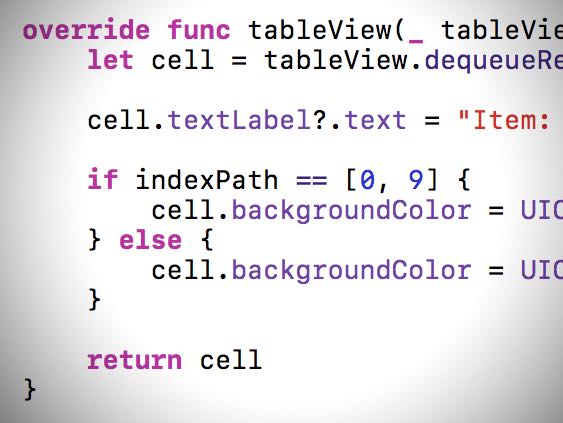
記事タイトルの通りなのですが、Int配列リテラルからIndexPathを作ったり、IndexPathとInt配列リテラルを比較したりできます。
以下、実際のコードを挙げながら紹介していきたいと思います。
Int配列リテラルからIndexPathを作る
こんな感じで、Int配列リテラルからIndexPathを作ることができます。
let indexPath: IndexPath = [0, 9] // Section: 0, Row: 9
例えば、以下のように特定の行を表すIndexPathを定義する時に便利に使えると思います。
let redIndexPath: IndexPath = [0, 4]
let greenIndexPath: IndexPath = [0, 9]
let blueIndexPath: IndexPath = [0, 14]

switch indexPath {
case redIndexPath:
   cell.backgroundColor = UIColor.red
case greenIndexPath:
   cell.backgroundColor = UIColor.green
case blueIndexPath:
   cell.backgroundColor = UIColor.blue
default:
   cell.backgroundColor = UIColor.white
}
IndexPathとInt配列リテラルを比較する
IndexPathとInt配列リテラルをそのまま比較することができます。
	if indexPath == [0, 4] {
   // do something
}
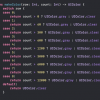
この性質を活かすと、以下のようなコードを書くことができます。
switch indexPath {
case [0, 4]:
   cell.backgroundColor = UIColor.red
case [0, 9]:
   cell.backgroundColor = UIColor.green
case [0, 14]:
   cell.backgroundColor = UIColor.blue
default:
   cell.backgroundColor = UIColor.white
}
@akio0911はこう思った。

僕は、検証用のミニアプリなんかを作る際に今回の書き方を使ったりしています。
ぜひ試してみて下さい!
by @akio0911


関連記事
この記事が気に入ったら「いいね!」しよう
Follow @arlife_now
Twitterで更新情報をゲット!